Published Nov 13, 2026 by Xiph
A security programme built around Windows can leave important activity on other systems outside its view. Linux servers and Mac laptops have their own powerful administration tools, and attackers can put those tools to work.
Consider a business with well-monitored Windows laptops, a handful of Macs and several Linux servers running customer-facing services. Its security reports look reassuring. Devices are patched, antivirus is active and nobody has reported anything unusual.
Then ask a more specific question: would anyone notice if a Linux service launched an unexpected shell, or a Mac acquired a background job that quietly returned at every login?
The answer depends on what the organisation actually collects and investigates. A dashboard showing that a device is online does not establish what happened on it. When security coverage centres on Windows, ordinary-looking activity elsewhere can receive much less scrutiny.
The technique travels
Living off the land means abusing tools and processes already available in an environment. PowerShell is a familiar example because it is powerful, widely deployed and useful to both Windows administrators and intruders. The underlying technique extends well beyond it.
Joint guidance co-authored by ASD’s Australian Cyber Security Centre explicitly covers Linux and macOS alongside Windows and cloud environments. The advantage for attackers is practical: familiar utilities can help their activity blend into legitimate work, reducing their need to introduce custom software.
An attacker still needs a route in, such as stolen credentials, a vulnerable application or a user persuaded to run something harmful. Living off the land describes how they use the environment once that opportunity exists.
It also does not mean that every attack is fileless. An intrusion may combine native commands with downloaded malware, scripts and configuration changes. Describing the entire operation as invisible would obscure the evidence defenders should be looking for.
The Linux tools already doing useful work
A shell interprets commands and connects them into automated tasks. Linux commonly provides shells such as Bash or sh, while macOS includes Bash and Zsh. They support software deployment, troubleshooting and countless background operations.
An intruder who obtains command execution can use that same capability within the permissions of the compromised account. Commonly available utilities can inspect processes, locate files, package information or communicate with another system. Availability varies between distributions and installations, but the principle remains the same.
Consider a hypothetical compromise of a Linux web server. The application unexpectedly starts a shell, which accesses configuration files and launches an archive utility. Each component has a legitimate purpose. Together, in that context, they may indicate preparation for data theft.
SSH deserves similar attention. It provides encrypted remote administration, but a connection made with stolen credentials can still carry an intruder’s commands. Encryption protects the connection; assessing the activity requires knowing which account connected, where it came from and what followed.
The job that keeps coming back
Schedulers and service managers allow software to run without someone sitting at a keyboard. That makes them valuable to anyone seeking continued access.
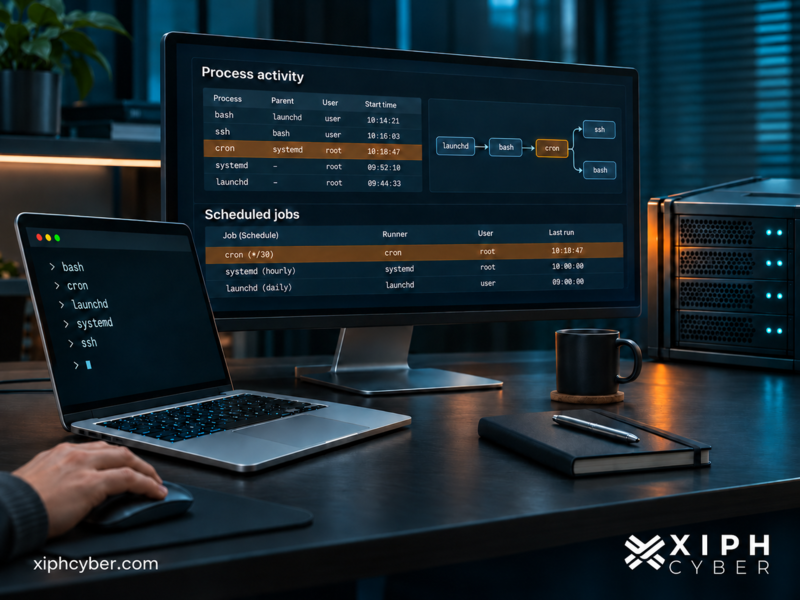
On Linux, cron schedules recurring jobs. On many distributions, systemd manages services and can schedule work through timers. MITRE ATT&CK documents attackers abusing cron and creating or modifying systemd services to repeatedly execute malicious code.
On macOS, launchd manages background services and user agents. A LaunchAgent can arrange for software to run in a user’s session, including at login. User-level agents can operate without giving an attacker control of the whole machine.
The distinction matters. Removing unnecessary administrator privileges reduces risk, but an ordinary account may still hold confidential documents or access to valuable business services. An intrusion can cause damage before it ever reaches root privileges.
The defensive question is whether these arrangements are expected. Who created the job? What does it launch? Was the change authorised? Removing a suspicious process without examining what starts it can leave the mechanism for its return in place.
A Mac campaign built around familiar utilities
Microsoft’s April 2026 research into Sapphire Sleet provides a concrete example. In the activity it analysed, targets were drawn into recruitment conversations and directed towards a supposed video-conferencing software update.
The lure was an AppleScript file opened through macOS Script Editor. The attack used curl to retrieve additional content and osascript to execute AppleScript, then delivered further components for credential theft, continued access and data collection.
This was a combination of malicious code and legitimate utilities. The presence of an Apple-supplied application in the execution chain gave the activity an appearance of familiarity without making the instructions trustworthy.
Microsoft reported that it shared the findings with Apple, which implemented updates to help detect and block associated malware and infrastructure. That response reinforces the value of keeping protections current. It also shows why a Mac security review needs to examine scripts and background activity alongside installed applications.
Where a Windows focus leaves gaps
The most consequential gaps can arise from everyday management decisions. A detection rule built around Windows event records will not automatically recognise equivalent activity on Linux or macOS. Someone has to identify the relevant evidence, collect it and make the detection work.
Product coverage also needs closer inspection than a supported-platform logo. Ask which operating-system versions are supported, which events are available and which permissions the security software requires. A sensor can be installed while the configuration needed for a particular investigation remains incomplete.
Ownership can be just as uneven. The infrastructure team may manage Linux, another team may enrol Macs, and an external provider may monitor Windows. Unless responsibilities are explicit, each can reasonably assume that someone else is watching the missing activity.
Short-lived systems create another challenge. If a cloud server is rebuilt before its local evidence reaches a central store, useful records may disappear with it. Collecting logs after a concern arises can therefore be too late.
These are questions about deployment and responsibility. They should be tested against the actual environment rather than answered from a product brochure.
Evidence has to be collected deliberately
Shell history can help an investigation, but it is an incomplete record. Bash history depends on shell settings and how the shell is used; it should not be assumed to capture commands launched by background services. A user-editable history file also offers limited assurance about completeness.
Linux auditing can record selected system activity, including execution and file access, according to configured rules. Red Hat’s documentation makes that dependency explicit: the rules determine what is captured. Installing the audit service alone does not establish sufficient coverage.
On macOS, Apple’s Endpoint Security framework gives security products access to events including process execution. Useful visibility is possible, but the product must collect and interpret it, and the organisation must retain the resulting evidence.
For both platforms, investigators need enough context to connect an action to its account and the process that launched it. Command records can contain sensitive information, so access to that evidence needs protection too.
Reading the sequence
A useful detection considers how actions relate. A developer using curl during a build may be entirely routine. The same utility launched after an unfamiliar script, followed by access to sensitive files and an unexpected outbound connection, deserves investigation.
Similarly, a new scheduled job may belong to an approved backup change. Concern increases when an unusual account creates it, its target sits somewhere unexpected and nobody can connect it to authorised work.
This requires a working relationship between defenders and the people administering the systems. If security teams cannot recognise normal maintenance, they struggle to distinguish an intrusion from routine automation. Excessive alerts then encourage broad exclusions, reducing visibility further.
ASD’s joint event-logging guidance supports centralised collection and analysis. Bringing endpoint, identity and network records together helps investigators reconstruct a sequence that any one source might only partially show.
Making coverage measurable
For an Australian business, the starting point is a clear inventory of Linux and macOS systems, their owners and the information they can reach. Include cloud workloads and developer machines; their business importance may bear little relation to how many of them exist.
Then ask for evidence of coverage. Can the security team investigate an unexpected shell? Can it identify a new recurring job? Can it establish which account changed a service and connect that change to subsequent network activity?
Use authorised, harmless exercises to check the answers on representative systems. Follow an event through collection, detection and analyst response. Confirm that someone has both the responsibility and authority to act when the evidence warrants it.
Reduce unnecessary privileges and remote access, keep software supported and patch entry points. Preserve the administration functions the business needs while making their use accountable. Blanket restrictions that break maintenance can create pressure for poorly controlled exceptions.
Xiph Cyber helps organisations assess security coverage across their environments and identify where controls need improvement. Linux and macOS should appear in that assessment wherever they carry business data or trusted access. Familiar tools deserve scrutiny because of what they are being asked to do.
Further reading
Posted in: Security
Related reading

Is COVIDSafe safe?
Apr 29, 2020
Here’s what you need to know about the controversial coronavirus tracing application On Sunday 26 April, the federal government rolled out a mobile application in an endeavour to further reduce the spread of COVID-19. Available on both Google Play and Apple’s App Store, COVIDSafe aims to assist health officials in identifying people who may have come into contact with those infected with the virus.

How secure is single sign-on (SSO) for businesses?
Feb 02, 2023
Single sign-on (SSO) makes it easy for your employees to access all their applications with only one username and password instead of dozens – but how secure is it?

The data TikTok is really collecting & what it’s doing with your information
Jan 19, 2023
Unless you’ve been living under a rock, chances are you’ve used or at least heard of TikTok ─ the video-sharing app with billions (yes, billions) of users worldwide. Most people use TikTok to find, share and create viral content, but users of the platform should be aware of its data practices and links to China. Here’s what you need to know about TikTok’s data harvesting, and how to keep your information safe.