Published Jun 04, 2026 by Xiph
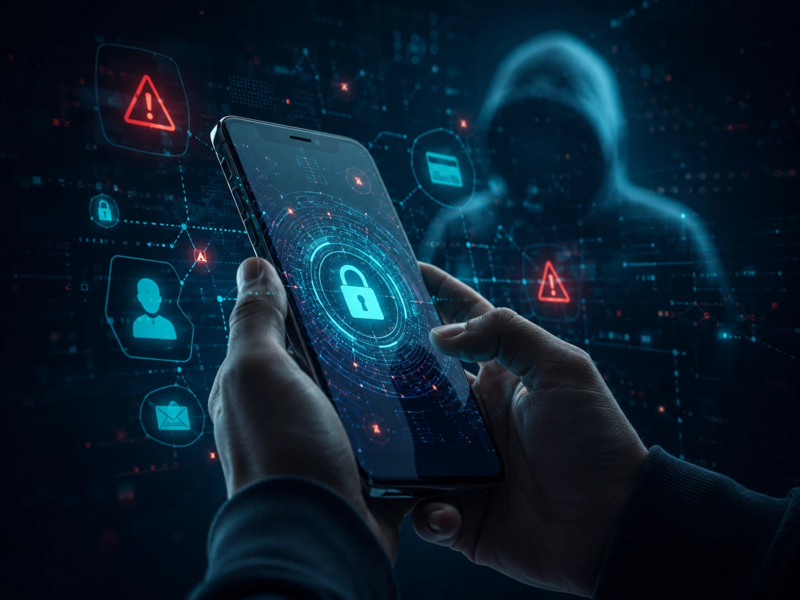
Pick up the device within arm’s reach right now. It holds your email, your banking app, your authentication codes, your messages, your location, and a login to half the services you use. It goes everywhere you go, it’s unlocked dozens of times a day, and it’s almost certainly the least defended thing you own. Yet most security advice is still written as though the desktop is the front door. It isn’t. For a fast-growing share of attacks, the phone is — and attackers worked that out long before the advice did.

The device we secure least
Walk into any Australian business and you’ll find money spent hardening the obvious things: laptops get endpoint protection, servers get patched, email gets a secure gateway, the firewall gets a line item. All sensible, all necessary.
Now ask what that same business does to secure the phones its people carry. For most, the honest answer is: enrol them in a mobile device management (MDM) console, tick the compliance box, and move on. MDM helps manage fleets and wipe lost handsets, but it isn’t threat protection. The result is a glaring asymmetry — the device holding the most sensitive data, and trusted the most by its owner, gets the least defensive thought. Attackers love an asymmetry. They go where the spending isn’t.
Why the phone is the soft target
There are concrete reasons a handset is easier to compromise than the laptop on your desk — and most have nothing to do with how careful you are.
The screen is working against you
A small screen strips away the cues you use to spot a scam. Links are truncated, you can’t hover to preview a button, and sender names are easy to spoof — and you’re usually reading on the move, tapping before you think. In its 2025 Global Mobile Threat Report, Zimperium found attackers have shifted to a “mobile-first” strategy, with mobile now the primary attack surface for reaching corporate data and roughly a third of mobile threats now phishing-based — what the industry calls “mishing.” The numbers show why: mobile click-through rates run many times higher than email phishing, often 9 to 15 per cent against roughly 2 per cent. The phone isn’t just another inbox; it’s the inbox where your guard is lowest.
It goes everywhere your defences don’t
Your email gateway, web filter and network monitoring don’t follow you onto a messaging app, an iMessage, a WhatsApp thread, a QR code on a café table, or a voice call. Attackers increasingly reach people through exactly these channels — landing on the phone and sailing past the controls a business has paid for. The same handset blends work and personal life, so a lure aimed at “you the person” becomes a doorway into “you the employee.”
The apps are the attack surface
Every app you install asks for trust, and often for far more access than it needs. The criminal tooling has matured: Zimperium tracked a sharp year-on-year rise in mobile banking trojans, and researchers have documented SMS-stealer campaigns across a hundred-plus countries built to intercept the one-time codes protecting your accounts. If malware can read the SMS code your bank just sent, that second “factor” is worth very little. At the very high end, commercial spyware like NSO Group’s Pegasus has even cracked fully up-to-date phones through “zero-click” exploits that need no tap at all.
The network underneath is leaky
Even if you never tap a bad link, the mobile network itself has weaknesses. SIM-swap fraud — a criminal tricking a telco into moving your number to their SIM — hands an attacker your calls and texts, including security codes. Older signalling protocols like SS7 can be abused to intercept messages outright. None of this requires you to make a mistake.
Read more: Mobile device security guide
What this looks like in Australia
It’s tempting to file this under “overseas problem.” It isn’t. Australians reported more than $2.18 billion in scam losses across 2025, according to the National Anti-Scam Centre’s latest Targeting Scams Report. Phishing scams alone accounted for $97.6 million, and payment redirection — which very often plays out over a phone — for another $166.8 million.
Here’s the nuance that matters, though. Raw SMS scam reports to Scamwatch fell sharply, from 77,365 in 2024 to 29,058 in 2025 — a genuine win, largely down to coordinated disruption. Telcos have now blocked more than one billion scam texts since mid-2022, and the Federal Government’s mandatory SMS Sender ID Register is choking off impersonation texts at the source. But the threat didn’t disappear — it moved. Over the same period, online and social-media scams ending in a loss rose by nearly a third, as attackers shifted to channels that land on your phone but dodge the SMS filters. The device stayed the same; only the doorway changed.
The cellular layer is a live problem here too: the ACMA recently detailed an $826,320 penalty paid by Optus Mobile for failing to run required identity checks when porting mobile numbers, with the breaches tied to consumer losses. The ASD’s Essential Eight sets the baseline for Australian organisations, but its framing is still largely desktop- and server-shaped. If your security program stops at the laptop, the most exposed device in your business is sitting outside the fence.
The advice gap
Read almost any “stay safe online” guide and you’ll notice its shape: strong password, install antivirus, don’t click suspicious links, keep your PC updated. Good advice, as far as it goes — it just quietly assumes the threat lives on a computer.
Mobile-specific protections — phishing-resistant logins, hardened operating systems, ruthless app-permission discipline, protecting your number against port-out fraud — rarely make the list. The phone gets treated as a smaller, friendlier PC rather than what it is: the most personal, always-on, trusted and least-defended device you own. Closing that gap doesn’t require paranoia — just moving a few of the controls you’d never skip on a laptop onto the device that needs them most.
How to actually lock down your phone
Enough of the bad news. Here’s what to do about it — in rough order of impact.
Switch to phishing-resistant logins with a hardware security key. This is the single highest-leverage change most people can make. A FIDO2/WebAuthn security key cryptographically ties your login to the real website’s domain — show it a fake login page and it refuses to authenticate, which makes it immune to SIM-swaps, SS7 interception and the real-time phishing proxies that defeat SMS codes. When the “0ktapus” campaign hit more than 130 companies in 2022, the ones using hardware keys shrugged it off. NIST has since downgraded SMS one-time codes, and agencies like CISA treat hardware keys as the gold standard for high-assurance accounts. Start with email — it’s the master key to everything else.
Consider a hardened handset for high-risk users. A standard phone ships with a wide attack surface: bloatware, deep platform tracking, and services running by default. Our GrapheneOS hardened handsets strip that back, running a de-Googled, security-focused build of Android with stronger sandboxing, granular permission controls and a dramatically reduced attack surface — ideal for executives, board members, and legal or finance staff whose phones would be a genuine prize. It’s the mobile equivalent of system hardening: the less there is to attack, the less can go wrong.
Lock down the cellular layer. Call your telco and add a port-out PIN or transfer-authority protection so no one can move your number without it. For sensitive work or travel, a private SIM reduces the link between your identity and your number.
Be ruthless with app permissions. Treat every request as a question worth answering “no” to by default — does a torch app really need your contacts and location? Audit what’s installed, revoke what isn’t essential, delete what you don’t use, and avoid sideloading apps from outside the official stores, a common route for banking trojans.
Patch fast, and retire what can’t be patched. Turn on automatic updates for the operating system and your apps. The gap between a flaw becoming known and being exploited has collapsed, and an out-of-date phone is low-hanging fruit. If your handset no longer gets security updates, replace it.
Carry a Faraday sleeve when it counts. For sensitive meetings or overseas travel, a signal-blocking Faraday sleeve cuts your device off from all wireless signals until you take it out.
Treat every unexpected message as hostile. The lure now arrives by text, iMessage, WhatsApp, QR code or a call that “sounds right.” If a message creates urgency and asks you to tap, log in or hand something over, stop — and verify on a number you looked up yourself, never the one in the message. It’s just social engineering and spoofing in a mobile disguise.
Read more: What is spyware & how to protect yourself
A final word
Your phone is the easiest way in for one simple reason: it’s the device you trust most and protect least. It carries everything an attacker wants, it follows you past every defence your business has built, and the advice you’ve been given for years has barely acknowledged it exists. None of that is inevitable — the controls that close the gap are available today.
Browse our range of hardened handsets and security keys at the Xiph Shop, and if you want help building mobile into your organisation’s security posture properly — rather than as a ticked box — our cyber security consulting team can map your exposure and design a plan that fits. As always, you can reach a real human at enquiries@xiphcyber.com.
Posted in: Security
Related reading
What is spyware & how to protect yourself
Jun 21, 2023
It may sound like a gadget you’d hear about in a spy movie, but spyware is very real and malicious. You never see it coming and may not even be aware of it (until it’s too late), plus spyware can be very hard to get rid of.
10 ways to use AI to bolster your cyber security
Aug 07, 2023
Traditional solutions may only sometimes suffice in the ever-evolving landscape of cyber security. Organisations can use the synergy between artificial intelligence (AI) and human expertise to protect their digital assets from cyber threats and malicious actors. Here are ten ways to use AI to bolster your cyber security.
Are you at risk of identity theft?
Nov 17, 2022
Your data is not safe anywhere ─ that’s the lesson from the spate of cyber breaches impacting Australia’s biggest companies like Optus, Medibank, Australian Clinical Labs, and EnergyAustralia (so far).